
How to Lip Sync a Video
Prepare, check, generate, review, troubleshoot, and delete a private AI lip-sync video with Visemix.
Last updated 2026-08-23
This guide covers the complete released workflow. It does not promise a perfect result: face visibility, motion, cuts, source clarity, and audio timing all affect the output. For input-specific fixes, keep the lip sync quality guide open as you work.
Maintained by Visemix. This guide is based on the released interface and code-backed limits as of August 23, 2026. It documents the workflow to help users prepare and review their own media; it does not turn an unverified provider result into a performance claim.
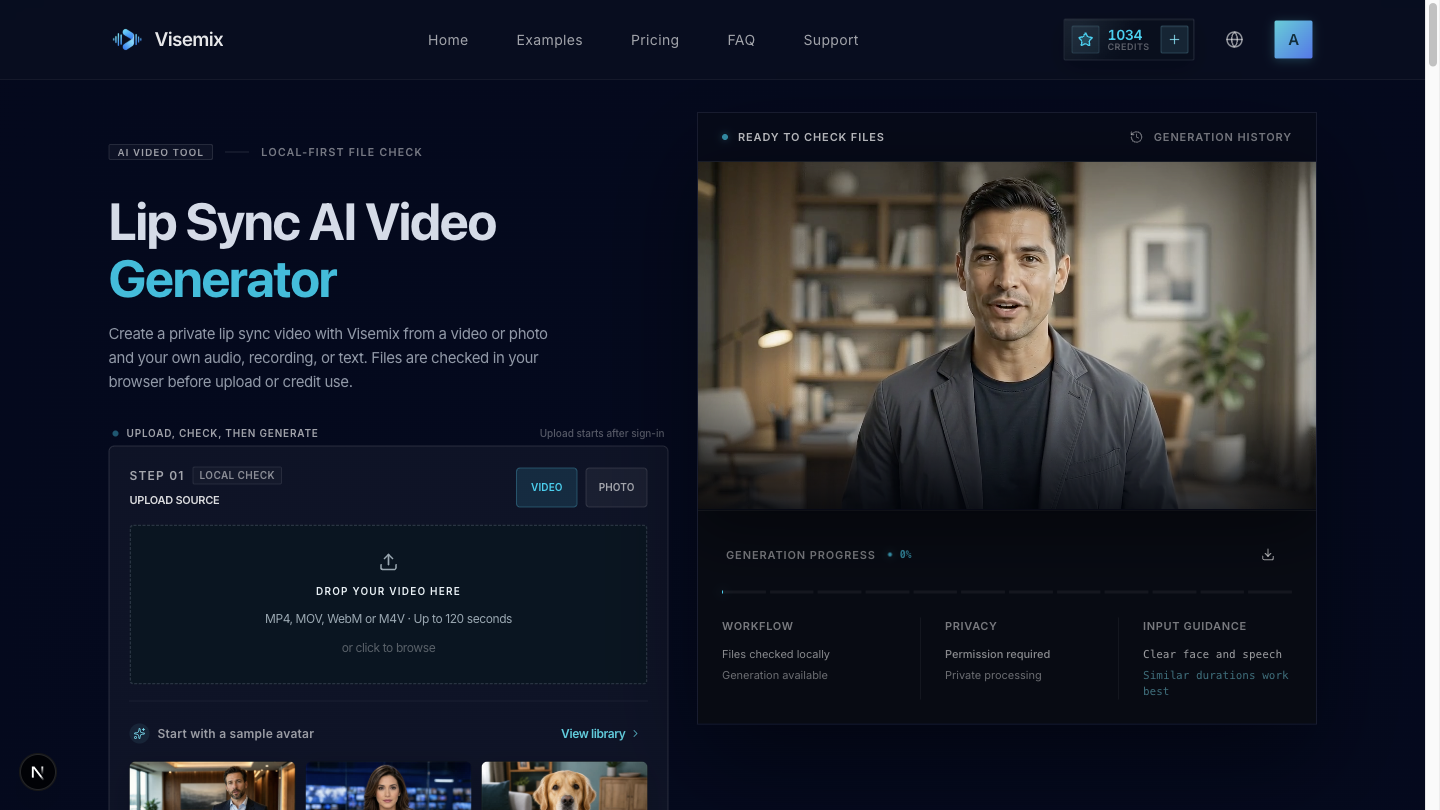
Visemix generator interface captured on August 23, 2026. The screenshot shows the real local-check state; it is not presented as a benchmark result.
Prepare authorized source media
Choose a clear source video and an audio track you own or are authorized to use. A mostly front-facing speaker, visible lips, steady framing, and clean speech boundaries provide a more useful starting point. Confirm that the intended use also complies with the Acceptable Use rules.
Do not upload passwords, payment details, confidential documents, or media you do not have permission to process.
Run the browser checks
Open the generator, select the source and audio, and review every visible check. Visemix checks file type, size, duration, readable tracks, and consent in the browser before upload. If a warning appears, fix the source rather than repeatedly submitting the same file.
The local check is not a generation result and does not prove that the source is legally authorized.
Sign in without losing the draft
When you request generation while signed out, Visemix asks you to authenticate. The browser draft is designed to restore after sign-in so you can review the selected inputs again. If restoration fails, reselect the local files; do not assume they were uploaded.
Request private generation
Review the credit estimate, rights confirmation, source, and audio before submitting. Upload begins only after this explicit action. The server verifies private storage, configured provider capability, account ownership, and the available credit balance before it accepts the job.
Inspect the result
Open Activity and review the result at normal speed and frame by frame around difficult moments. Check:
- whether mouth closures and strong consonants occur near the audio;
- whether lips, teeth, and the lower face remain coherent;
- whether cuts, turns, hands, microphones, or other occlusions create jumps;
- whether identity, framing, and background remain acceptably stable.
Completed results generated with trial or purchased credits can be downloaded without a Visemix watermark from the generator or Activity.
Do not publish a result solely because the task completed successfully. Completion means the workflow returned an output, not that the output fits every use.
Handle failure or delete media
A job that reaches a confirmed failure state returns the credits reserved for that job. Check the visible error and improve the source before retrying. Stop retrying when the same structural limitation—such as a hidden mouth or sustained profile view—remains in the input.
Completed or canceled jobs can be deleted from Activity before the default retention date. Account exports and account deletion are available under Settings → Data & Privacy. See the Privacy Policy for current retention periods and the Refund Policy for the difference between a failed-job credit return and a payment refund.
When the source is ready, return to the generator.